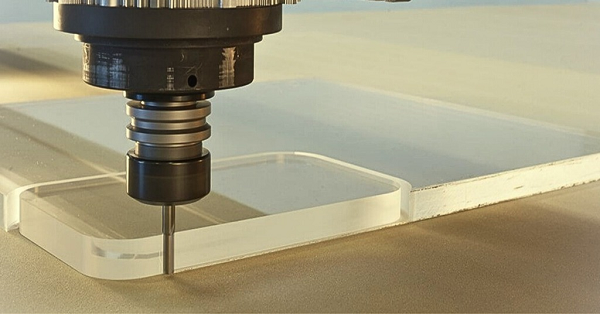
Need CNC machining plastic parts that are strong, precise, and consistent? We cover material selection, speeds and feeds, common pitfalls, and how to avoid melted edges and chipped surfaces.
Introduction
You designed a part. It needs to be light. It needs to resist chemicals. It needs to insulate electricity. Or maybe it just needs to be clear so you can see inside.
Metal won’t work. Too heavy. Too conductive. Too expensive.
That is when you turn to plastic. But here is the catch—CNC machining plastic is not the same as cutting metal. Run it like aluminum, and you get melted edges. Run it like steel, and tools clog. Push too hard, and parts chip. Push too slow, and surfaces turn fuzzy.
Plastic moves differently. It insulates heat instead of conducting it. It softens instead of shearing. It springs away from tools instead of forming clean chips.
This guide covers everything you need to know. We explain which plastics machine best, how speeds and feeds differ from metal, how to prevent common defects, and when to choose machining over 3D printing.
What Is CNC Machining for Plastics?
Let us define the term. CNC machining plastic uses computer-controlled machine tools to remove material from plastic stock. The result is a finished part that matches your 3D model.
The process works the same as metal machining—mills spin cutting tools, lathes spin workpieces, and G-code controls everything. But the material behavior changes everything.
Plastics are softer than metals. That sounds easier. It is not.
Soft materials can bend instead of cut. They can melt from friction heat. They can chip if the tool is dull or the feed is wrong. They can change size as internal stresses release.
A medical device company learned this the hard way. They needed clear polycarbonate housings for diagnostic equipment. Their usual metal shop ran the parts like aluminum—same feeds, same speeds, same tools. The results looked terrible. Melted edges, cloudy surfaces, out-of-tolerance holes. They switched to a shop that specializes in CNC machining plastic. New parts came out clear, crisp, and correct.
Which Plastics Machine Best?
Not all plastics cut the same. Here is how common options perform.
Acetal (Delrin, POM)
Delrin is the machinist’s favorite plastic. It cuts cleanly. It holds tight tolerances. It has low moisture absorption. It machines almost like brass.
Best for: Gears, bushings, precision parts, pump components
Tensile strength: 10,000 psi
Max temp: 180°F continuous
Nylon (PA6, PA66)
Nylon is tough and wear-resistant. But it absorbs moisture, which changes dimensions. It can also be gummy if tools are dull.
Best for: Wear pads, rollers, insulating parts
Tensile strength: 12,000 psi
Max temp: 200°F continuous
PTFE (Teflon)
PTFE is chemically inert and almost friction-free. But it is soft and gummy. It moves away from the cutter instead of shearing. Sharp tools and light cuts are essential.
Best for: Seals, gaskets, chemical-resistant parts
Tensile strength: 4,000 psi
Max temp: 500°F continuous
PEEK
PEEK is a high-performance engineering plastic. It survives high temperatures. It resists chemicals. It is strong enough for medical implants and aerospace components.
But it costs more than most metals. Machining requires rigid setups and sharp tools.
Best for: Medical implants, aerospace brackets, high-temp applications
Tensile strength: 14,000 psi
Max temp: 480°F continuous
Acrylic (PMMA)
Acrylic is clear and beautiful. It polishes to optical clarity. But it is brittle. It chips easily. It stress-cracks if cut aggressively.
Best for: Display cases, light guides, transparent housings
Tensile strength: 10,000 psi
Max temp: 160°F continuous
Polycarbonate (PC)
Polycarbonate is tough and impact-resistant. It is nearly unbreakable. But it can be gummy. It stress-cracks around machined edges if not annealed properly.
Best for: Safety shields, housings, impact-resistant parts
Tensile strength: 9,500 psi
Max temp: 240°F continuous
UHMW
Ultra-high molecular weight polyethylene is extremely wear-resistant. It has a low friction coefficient. But it is soft and can be difficult to hold tolerances on.
Best for: Wear strips, conveyor guides, chute liners
Tensile strength: 7,000 psi
Max temp: 180°F continuous
Material Comparison Table
| Material | Machinability | Toughness | Max Temp | Cost | Best Feature |
|---|---|---|---|---|---|
| Delrin | Excellent | Good | 180°F | Low | Tight tolerances |
| Nylon | Good | Excellent | 200°F | Low | Wear resistance |
| PTFE | Fair | Poor | 500°F | Medium | Chemical resistance |
| PEEK | Good | Excellent | 480°F | High | High-temp strength |
| Acrylic | Good | Poor | 160°F | Low | Optical clarity |
| Polycarbonate | Fair | Excellent | 240°F | Medium | Impact strength |
| UHMW | Fair | Good | 180°F | Low | Sliding wear |
How Does Plastic Differ from Metal Machining?
If you know metal, unlearn some things. CNC machining plastic follows different rules.
Heat Management
Metal conducts heat away from the cut zone. The chip carries heat, but the workpiece stays cool. Plastic insulates heat. Friction heat stays right where the tool meets the material. That heat softens the plastic. Soft plastic gums up tools. Gummed tools generate more heat. The cycle accelerates until you have a melted mess.
Metal: Heat dissipates through chip and workpiece
Plastic: Heat concentrates at cut zone
Chip Formation
Metal forms continuous chips that break into manageable pieces. Plastic forms long stringy chips that wrap around tools. Or it forms dust that clogs flutes. Or it forms nothing—just smears.
Metal: Predictable chip breaking
Plastic: Stringy, dusty, or smeared
Tool Sharpness
Dull tools tear plastic instead of cutting it. Torn surfaces look white and fuzzy. Sharp tools shear cleanly, leaving smooth surfaces.
Metal: Dull tools wear faster but still cut
Plastic: Dull tools ruin parts immediately
Workholding
Plastic flexes more than metal. Thin walls vibrate. Parts shift under clamping pressure. Workholding must support without crushing.
Metal: Rigid fixturing works
Plastic: Soft jaws or vacuum often needed
Dimensional Stability
Plastics move with temperature and humidity. Machining releases internal stresses. Parts can warp after cutting.
Metal: Stable dimensions after machining
Plastic: May require stress relief or stabilization
What Speeds and Feeds Work?
Getting speeds and feeds right makes or breaks CNC machining plastic.
Spindle Speed
Run fast. Really fast. Maximum RPM your machine can handle. 10,000 to 20,000 RPM is typical. Higher speeds mean smaller chips and less heat per cut.
Feed Rate
Feed fast enough to keep chip load reasonable. Too slow creates rubbing instead of cutting. Rubbing generates heat. Heat melts plastic.
Target 0.002″ to 0.010″ per tooth depending on material. Delrin handles heavier loads. Acrylic needs lighter cuts.
Depth of Cut
Take full-depth cuts when possible. Shallow cuts rub instead of shearing. For roughing, go 0.050″ to 0.150″ deep. For finishing, 0.010″ to 0.030″.
Tool Selection
Use sharp tools with polished flutes. Uncoated carbide works well. Diamond-coated tools last longer in abrasive materials like glass-filled nylon.
Geometry matters. 2-flute tools leave more room for chip evacuation. High helix angles pull chips up and out.
Coolant
Here is where opinions differ. Some shops use air blast only. Coolant can cause thermal shock in some plastics. It can also stain or contaminate.
Other shops use mist or flood for tough materials. The key is consistent temperature. Thermal cycles cause dimensional changes.
A rule of thumb: If chips are melting, add air. If tools are wearing, add coolant. If parts are staining, cut dry.
Recommended Starting Parameters
| Material | Speed (SFM) | Chip Load (IPT) | Coolant |
|---|---|---|---|
| Delrin | 800-1200 | 0.004-0.008 | Air |
| Nylon | 600-1000 | 0.003-0.006 | Air/Mist |
| PTFE | 400-600 | 0.002-0.004 | Air |
| PEEK | 500-800 | 0.002-0.005 | Mist/Flood |
| Acrylic | 400-600 | 0.002-0.004 | Air |
| Polycarbonate | 500-800 | 0.003-0.006 | Air/Mist |
How to Prevent Melting and Chipping?
Common defects plague CNC machining plastic. Here is how to avoid them.
Melted Edges
Edges look rounded and shiny. Material has re-solidified after melting.
Fix: Increase feed rate. Increase chip load. Use sharp tools. Add air blast. Take deeper cuts.
White or Fuzzy Surfaces
Surfaces look frosted instead of clear. Tools have torn rather than cut.
Fix: Sharpen or replace tools. Increase speed. Check tool geometry—high helix helps.
Chipping at Edges
Small pieces break off at part boundaries. Common in acrylic and other brittle materials.
Fix: Support edges with sacrificial material. Reduce feed at exits. Use climb milling. Try chamfered entry/exit.
Built-Up Edge
Plastic sticks to the cutting tool. This ruins finish and eventually breaks tools.
Fix: Polish flutes. Use coated tools. Increase coolant or air. Try different tool materials.
Dimensional Variation
Parts measure differently than expected. Plastics expand and contract with temperature.
Fix: Control shop temperature. Let parts stabilize before measuring. Anneal stress-relievable materials before machining.
A real example: A lab equipment maker machined PTFE seals. First batch had terrible surface finish. Tools looked clean, but edges were rough. The problem? Feed rate too low. They were rubbing instead of cutting. Doubling feed rate solved the problem. Surfaces came out smooth. Cycle time dropped.
What Surface Finishes Are Possible?
Plastics accept various finishes depending on material and process.
As-Machined
Straight off the machine. You see tool marks. Roughness averages 32 to 64 microinches Ra. Functional but not pretty.
Bead Blasting
Fine media blasted at low pressure creates a uniform matte finish. It hides tool marks. Works on most rigid plastics.
Vapor Polishing
For acrylic and polycarbonate, solvent vapor creates an optical finish. Parts look like glass. No tool marks visible.
Mechanical Polish
Sanding and buffing creates high gloss. Labor-intensive but effective. Works on acrylic, polycarbonate, and some nylons.
Painting
Plastics can be painted for color or protection. Adhesion promoters may be needed. Not all plastics accept paint well.
Finish Comparison
| Finish | Appearance | Cost | Suitable Materials |
|---|---|---|---|
| As-machined | Tool marks visible | Lowest | All |
| Bead blast | Matte uniform | Low | Rigid plastics |
| Vapor polish | Optical clarity | Medium | Acrylic, polycarbonate |
| Mechanical polish | High gloss | High | Acrylic, some nylons |
| Painting | Opaque color | Medium | Most with prep |
What Tolerances Can Plastics Hold?
Plastics move. Temperature changes cause expansion. Humidity causes swelling. Stress relief causes warpage.
Practical Tolerances
For most CNC machining plastic work, ±0.005 inches (0.13 mm) is achievable. This covers hole locations and pocket depths.
Precision Tolerances
With careful process control, ±0.001 inches (0.025 mm) is possible. This requires stable temperature, annealed material, and meticulous setup.
High-Precision Tolerances
Some shops achieve ±0.0005 inches (0.012 mm) on critical features. This is the limit for most plastics. Beyond that, material movement exceeds measurement uncertainty.
Material-Specific Capability
| Material | Standard Tolerance | Precision Tolerance |
|---|---|---|
| Delrin | ±0.003″ | ±0.001″ |
| Nylon | ±0.005″ | ±0.002″ |
| PTFE | ±0.010″ | ±0.005″ |
| PEEK | ±0.003″ | ±0.001″ |
| Acrylic | ±0.005″ | ±0.002″ |
| Polycarbonate | ±0.005″ | ±0.002″ |
A medical device company needed PEEK spinal implants with ±0.001 inch on critical features. They tried three shops. Two failed—parts measured differently in the morning than afternoon. The third succeeded by controlling shop temperature to ±1°F and measuring parts after 24-hour stabilization.
How to Choose Between CNC and 3D Printing?
Both processes make plastic parts. Here is how to decide.
Choose CNC Machining When:
You need tight tolerances. CNC holds ±0.001″. 3D printing struggles with ±0.010″.
You need specific materials. CNC cuts production-grade plastics. 3D printing uses proprietary resins with different properties.
You need smooth surfaces. As-machined finishes beat printed layer lines.
You need isotropic strength. Machined parts have consistent properties in all directions. Printed parts are weaker between layers.
You have solid geometry. Simple shapes machine fast.
Choose 3D Printing When:
You need complex internal features. Lattice structures, conformal cooling channels—printing handles what machining cannot reach.
You need one part fast. No programming, no setup. Hit print and wait.
You need multiple iterations overnight. Design changes are just file updates.
Your geometry cannot be fixtured. Thin walls, organic shapes—sometimes you cannot hold the part to cut it.
Decision Matrix
| Factor | CNC Machining | 3D Printing |
|---|---|---|
| Tolerance | ±0.001″ | ±0.010″ |
| Surface finish | 32 Ra | Layer lines visible |
| Material options | Production plastics | Proprietary resins |
| Strength | Isotropic | Anisotropic |
| Complexity limit | Tool access | None |
| Cost per part (low qty) | Medium | Low |
| Cost per part (high qty) | Low | High |
A consumer electronics company faced this choice. They needed 50 prototype housings for user testing. 3D printing would take 3 days and cost $50 each. Surface finish was rough. They chose CNC machining. Parts took 5 days and cost $80 each. But surfaces looked like production. Test users gave better feedback because parts felt real.
Conclusion
CNC machining plastic delivers precision parts that metals cannot match. Light weight, chemical resistance, electrical insulation, optical clarity—plastics open design possibilities that metals close.
But plastic is not just soft metal. It behaves differently. Heat stays in the cut zone instead of leaving with chips. Tools must be sharp. Speeds must be high. Feeds must be aggressive enough to cut without rubbing.
Material selection matters. Delrin machines like a dream. PTFE fights back. Acrylic chips. Polycarbonate gums. Choose the right plastic for your application, then adjust parameters accordingly.
Tolerances are achievable but require attention to temperature and stress. Surface finishes range from as-machined to optically clear depending on material and process.
When deciding between CNC and 3D printing, consider tolerance, material, surface finish, and quantity. Each process has its place. CNC wins when precision and production materials matter.
Frequently Asked Questions
What is the best plastic for CNC machining?
Delrin (Acetal) is the most machinable plastic. It cuts cleanly, holds tight tolerances, and has low moisture absorption. For high-temperature applications, choose PEEK. For optical clarity, choose acrylic.
Can you CNC machine plastic without coolant?
Yes. Air blast is often preferred over liquid coolant. Coolant can cause thermal shock in some plastics and may stain or contaminate parts. For tough materials like PEEK, mist coolant can help.
What tolerances can CNC machined plastics hold?
Standard tolerances of ±0.005 inches (0.13 mm) are routine. Precision work achieves ±0.001 inches (0.025 mm) . Material movement from temperature and humidity sets the practical limit.
Why do my machined plastic parts look white or fuzzy?
White or fuzzy surfaces mean the tool is tearing instead of cutting. Use sharper tools, increase spindle speed, and ensure adequate chip load. Dull tools and light cuts cause rubbing, not shearing.
How do you prevent melting during plastic machining?
Increase feed rate to maintain chip load. Use sharp tools with polished flutes. Apply air blast to clear chips and cool the cut zone. Take deeper cuts—shallow cuts rub and generate heat.
Is CNC machining or 3D printing better for plastic parts?
It depends. CNC machining wins for tight tolerances, production materials, and smooth surfaces. 3D printing wins for complex internal geometry, rapid iteration, and very low quantities.
Can you machine threads in plastic?
Yes. Thread milling works well for plastics. It produces clean threads without the torque of tapping. For soft plastics, consider thread-forming screws or inserts instead of machined threads.
Get projects quote with Moshijia Technology.
Ready to machine your next plastic part? At Moshijia Technology, we specialize in CNC machining plastic for prototypes and production runs. We work with Delrin, Nylon, PTFE, PEEK, Acrylic, Polycarbonate, and more.
We understand how plastics behave. We choose the right tools, speeds, and feeds for your material. We prevent melting, chipping, and dimensional drift. We deliver parts that meet your specifications.
Upload your CAD file today. Get a quote within 24 hours. Let’s make your next project a success.